Google Messages, WhatsApp, and Signal in one local inbox.
People stay grouped in the sidebar. Routes switch as tabs in the thread. Search, media, notifications, and MCP all run on the same local runtime.
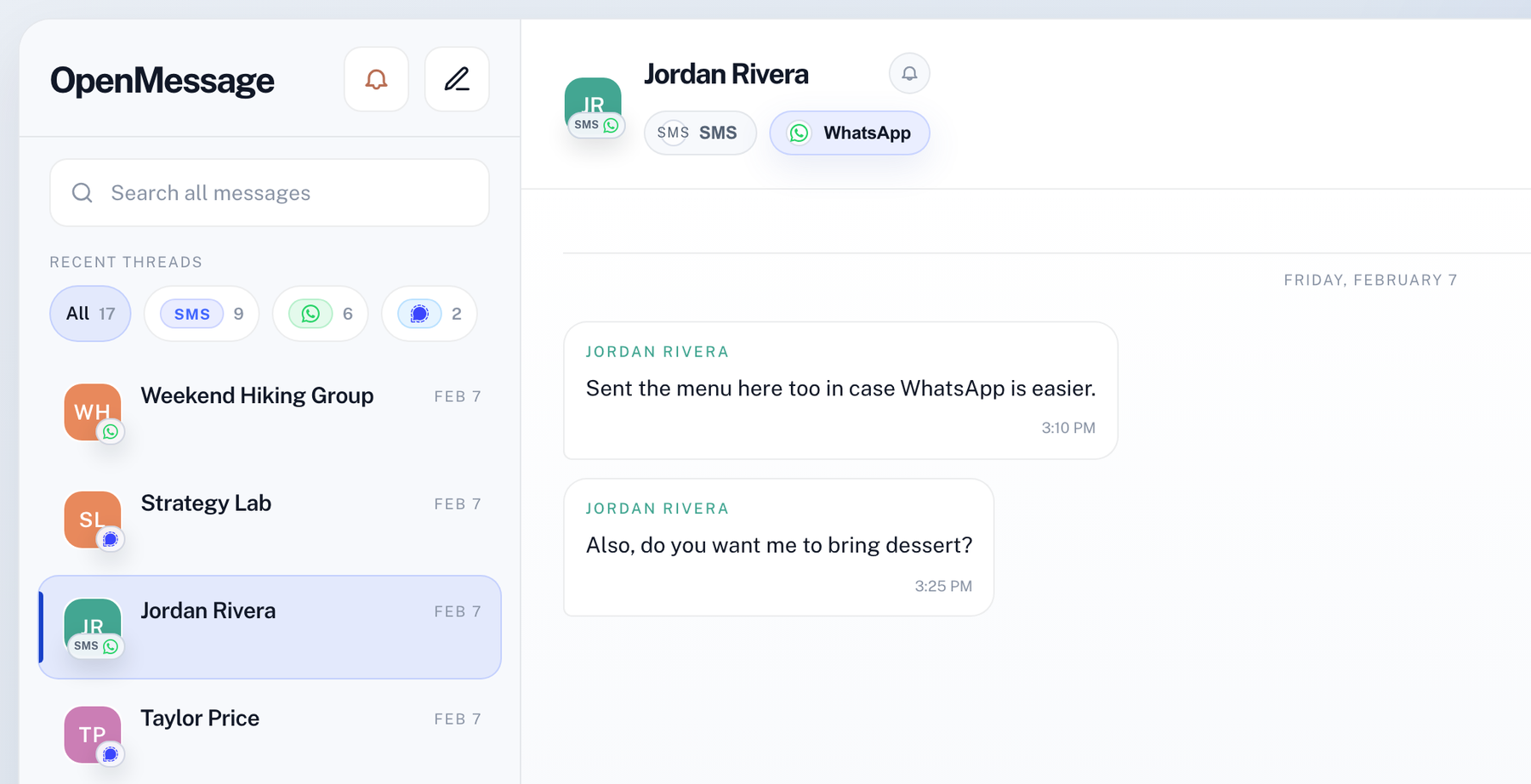
People-first multi-platform
Google Messages, WhatsApp, and Signal all land in one inbox, with one row per person and route tabs inside the thread.
Local-first
Messages, contacts, and sessions stay on your machine. No cloud account required.
Built-in MCP
Claude can search, draft, and send through the exact same local store you see in the app.
One runtime for the app and your assistant.
OpenMessage exposes the same local inbox to Claude over MCP. Search threads, inspect contacts, draft replies, and send through the same route-aware state you see in the desktop app.
claude mcp add -s user --transport sse openmessage http://127.0.0.1:7007/mcp/sse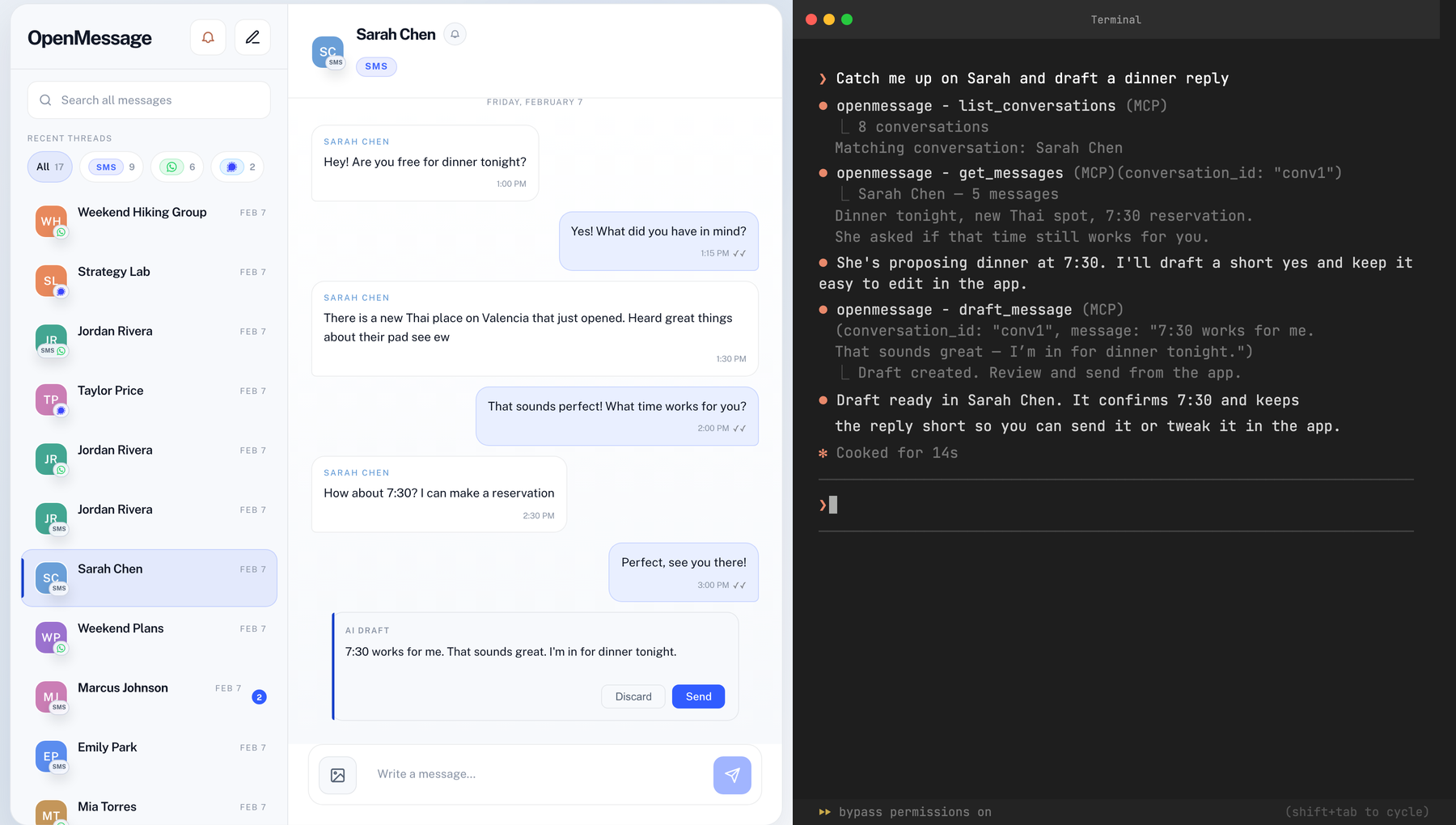
Local routes. One message store.
Each platform syncs into the same local thread model, search index, notifications, and MCP surface instead of hiding behind separate browser mirrors or desktop wrappers.
Local connections
Google Messages, WhatsApp, and Signal each pair directly to your Mac. Messages, media, and read state sync locally — no hosted relay.
Shared inbox
All platforms land in one search index, one notification stream, and one people-first sidebar instead of separate browser mirrors.
Built-in MCP
The same local backend that powers the app is what Claude and other MCP clients connect to. Your assistant sees the same threads you do.
Local-first and AI-native, at no cost.
| Platforms | Local-first | MCP for AI | Price | |
|---|---|---|---|---|
| OpenMessage | Google Messages, WhatsApp, Signal | Yes | Built in | Free |
| Beeper | 10+ networks (cloud bridges) | No | No | $10/month |
| Texts.com | 10+ networks (cloud bridges) | No | No | $15/month |
| Native web/desktop apps | One per app | Varies | No | Free |
Native app or CLI — same product.
macOS app
Use the native Swift wrapper with notifications, contact photos, and an embedded local backend that already handles Google Messages, WhatsApp, and Signal.
https://openmessage.ai/downloadclaude mcp add -s user --transport sse openmessage http://127.0.0.1:7007/mcp/sseCLI and local web app
Run the Go binary directly if you want the same local web UI, MCP server, and pairing flow without the native wrapper.
openmessage pairopenmessage serveCommon questions.
How does WhatsApp work?+
OpenMessage links as a companion device on your Mac, the same way WhatsApp Web does. Messages, media, and receipts sync locally into the same inbox as your other platforms.
What platforms are supported?+
Google Messages (SMS/RCS), WhatsApp, and Signal are all live. Google Messages handles SMS and RCS. WhatsApp supports text and media. Signal supports text, groups, reactions, attachments, and history transfer during pairing.
Do my messages go through your servers?+
No. Everything stays on your machine. There is no OpenMessage cloud account.
Where can I read the technical details?+
There are technical write-ups covering the WhatsApp and Google Messages integrations, including the local runtime, pairing model, and shared inbox architecture. Read the post.
Google Messages, WhatsApp, and Signal in one local desktop app.
Download the current build now, or leave an email if you want the next meaningful update without watching the repo every day.
Join the early tester list.
Low-volume emails when there is something real to try: new platform support, App Store review status, or meaningful product updates.
No spam. Just product updates and tester invites.